
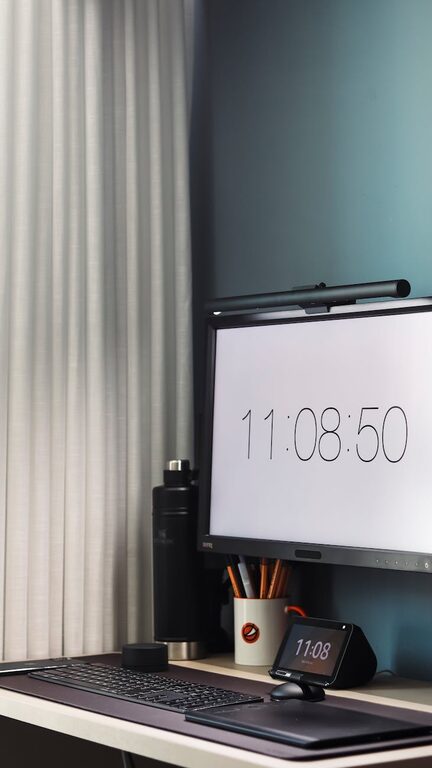
Creating an organized and comfortable home office is essential for maintaining focus and productivity, especially as many people continue to work remotely or pursue side projects from home. A well-arranged workspace not only saves time but also supports your overall well-being during long work hours. Here are practical tips to help you design a home office that promotes both efficiency and comfort.
Choose the Right Location
The foundation of a productive home office begins with selecting an appropriate spot in your house.
– Quiet and Minimal Distractions: Pick a location away from high-traffic areas like the kitchen or living room.
– Natural Light: If possible, position your desk near a window to enjoy daylight, which can boost mood and energy.
– Adequate Space: Ensure you have enough room for your desk, chair, and any other equipment or storage solutions you need.
Invest in Ergonomic furniture
Comfort matters when you spend long hours at your desk. Ergonomic furniture supports your posture and prevents strain.
– Chair: Choose an adjustable chair with lumbar support to maintain a healthy spine alignment.
– Desk: A desk with sufficient surface area allows you to organize your essentials without clutter.
– Monitor Stand: Position your monitor at eye level to reduce neck and eye strain.
Declutter and Organize
A tidy workspace can improve your focus by minimizing distractions and making it easier to find what you need.
Declutter Tips
– Remove items that are not essential for your daily tasks.
– Store personal items separately from work-related materials.
– Regularly clean and sort through your documents.
Organizing Strategies
– Use Storage Solutions: Incorporate shelves, filing cabinets, or desk organizers to keep supplies neatly arranged.
– Label Everything: Labels on drawers and boxes help locate items quickly.
– Digital Organization: Keep your computer desktop and files well-arranged with folders and a consistent naming system.
Optimize Lighting
Besides natural light, good artificial lighting is vital to reduce eye strain and maintain alertness.
– Use desk lamps with adjustable brightness.
– Choose light bulbs with a pleasant color temperature, ideally between 4000K and 5000K, which mimic daylight.
– Avoid glare on computer screens by positioning lights appropriately.
Personalize Your Space
Adding personal touches makes your workspace more inviting and comfortable, which can encourage creativity and motivation.
– Decorate with plants, artwork, or photos that inspire you.
– Choose colors that make you feel calm yet energized.
– Use comfortable textiles, such as a soft rug or ergonomic cushions.
Manage Cables Effectively
Loose cables create clutter and can be hazardous. Tidy cables streamline your setup and reduce distractions.
– Use cable clips or sleeves to bundle wires together.
– Employ under-desk cable trays to hide cords out of sight.
– Label power adapters to avoid confusion.
Establish Zones for Different Tasks
If you have the space, creating dedicated zones can improve workflow.
– Work Zone: Your main desk for computer work and meetings.
– Reference Zone: Shelves or filing cabinets for books, documents, and stationery.
– Relaxation Zone: A small space for breaks to recharge with a comfortable chair or cushion.
Incorporate Technology Wisely
Leverage technology that enhances productivity without contributing to clutter.
– Use wireless peripherals such as keyboards and mice.
– Employ noise-cancelling headphones to minimize distractions.
– Utilize productivity apps for task management and time tracking.
Maintain Your Space Regularly
Organization is not a one-time event but an ongoing habit.
– Schedule weekly or monthly cleanups to keep clutter at bay.
– Reassess your setup periodically and adjust to your evolving needs.
– Keep cleaning supplies nearby for quick tidying.
—
By implementing these tips, you can transform your home office into a space that not only looks great but also supports your productivity and comfort. Remember that the best workspace is one tailored to your personal preferences and work style, so feel free to experiment until you find what works best for you.