
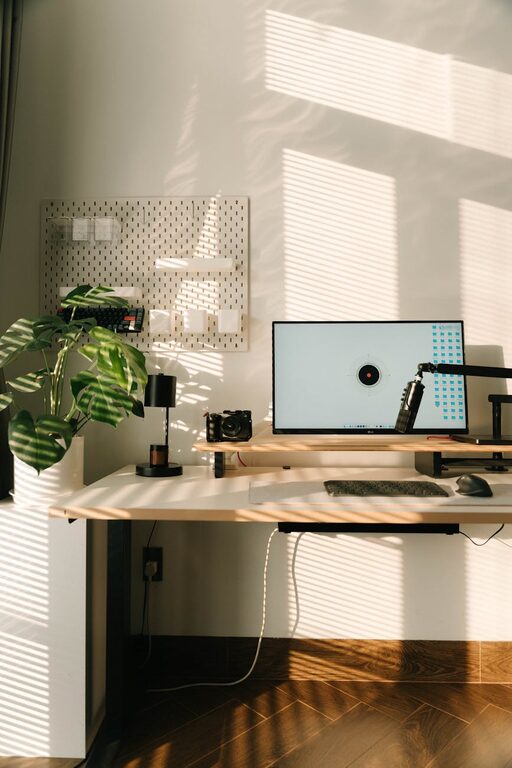
Creating a relaxing home workspace is essential for staying productive and maintaining well-being when working remotely. A comfortable, organized, and personalized workspace helps reduce stress and keeps motivation high. Whether you have a dedicated room or just a corner in your living area, these tips will help you design a space that feels both peaceful and inspiring.
Why a Relaxing Home Workspace Matters
A cluttered or uncomfortable environment can distract you and lower your efficiency. On the other hand, a well-planned workspace encourages focus, creativity, and calmness. By minimizing distractions and making your area inviting, you’ll likely find it easier to concentrate and enjoy your workday more.
Choosing the Right Location
Find a Quiet Spot
Select a location away from high-traffic or noisy areas in your home. This will help reduce interruptions and keep your mind clear as you work.
Maximize Natural Light
Position your workstation near a window if possible. Natural light can boost mood and energy, making you feel more alert and positive throughout the day.
Furniture for Comfort and Function
Invest in a Good Chair
A supportive ergonomic chair is key to maintaining good posture and avoiding discomfort. Look for adjustable features to tailor the fit to your body.
Desk Selection
Choose a desk that fits your space and work style. Consider options with enough surface area for your computer, documents, and any other tools you regularly use.
Standing Desk Options
If sitting for long periods feels tiring, try a height-adjustable desk so you can switch between sitting and standing.
Organizing Your Space
Declutter Regularly
Keep only essential items on your desk. Clutter can cause stress and decrease productivity.
Use Storage Solutions
Shelves, drawers, and organizers help keep supplies neat and accessible without crowding your workspace.
Cable Management
Tidy up cords with clips or sleeves to prevent tangles and create a cleaner look.
Personalize Your Workspace
Add Plants
Indoor plants not only beautify your space but also improve air quality and promote relaxation.
Display Inspiring Items
Photos, artwork, or motivational quotes can make your workspace more pleasant and uplifting.
Choose Calming Colors
Soft, neutral tones or cool shades can create a tranquil atmosphere conducive to concentration.
Lighting Tips
Combine Light Sources
Use a mix of natural light, overhead lights, and task lamps to reduce eye strain and maintain a balanced ambiance.
Adjustable Lamps
Desk lamps with adjustable brightness and direction let you focus light where it’s needed most during detailed tasks.
Minimize Distractions
Noise Control
Consider noise-canceling headphones or white noise machines if background sounds are disruptive.
Set Boundaries
Communicate with family or roommates about your work hours to minimize interruptions.
Incorporate Break Areas
Having a spot nearby for short breaks can improve your overall productivity. Even a comfortable chair or a small corner to stretch encourages movement and relaxation during the day.
Maintain Healthy Habits
Keep Hydrated
Keep a water bottle handy to stay refreshed and avoid fatigue.
Take Regular Breaks
Use techniques like the Pomodoro method—working for 25 minutes followed by a 5-minute break—to maintain focus without burnout.
Technology Setup
Efficient Equipment
Use reliable and fast technology to reduce frustration. Regularly update software and hardware as needed.
Organize Digital Files
Keep your computer desktop and files tidy to streamline your workflow.
—
By thoughtfully designing your home workspace with comfort, organization, and personalization in mind, you can create an environment that supports productivity while also promoting relaxation. Small changes can make a big difference in how you feel and perform throughout your workday. Start with these simple tips and enjoy a workspace that works for you.