
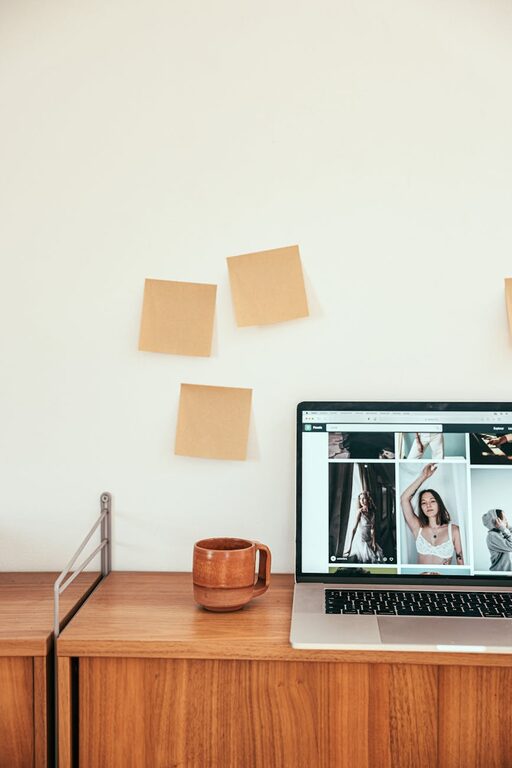
Creating a home office that is both cozy and functional can greatly enhance your productivity and overall work experience. Whether you are working remotely full-time or just need a dedicated space for occasional tasks, setting up the right environment matters. In this post, we’ll explore practical tips to help you design a home office that feels welcoming and supports your work needs.
Choose the Right Location
Selecting the perfect spot in your home is the first step in creating a great office space. Here are some things to keep in mind:
– Natural Light: Aim for a space with plenty of natural light. Sunlight can boost your mood and reduce eye strain.
– Quiet Area: Choose a quieter part of the house to minimize distractions.
– Space Availability: Ensure there’s enough room for your desk, chair, and storage without feeling cramped.
If possible, pick a spot near a window to enjoy fresh air and outdoor views during breaks.
Invest in Comfortable Furniture
A cozy and functional office starts with good furniture. Consider these items:
– Ergonomic Chair: Invest in a chair that supports your back and encourages good posture.
– Appropriate Desk: Choose a desk size that fits your work essentials without clutter. Adjustable desks or standing desks are options for added comfort.
– Additional Seating: If space allows, add a small couch or armchair for relaxing or brainstorming.
Comfort helps you stay focused and reduces physical strain during long work hours.
Optimize Lighting
Good lighting is essential for a productive workspace. Here’s how to get it right:
– Combine Natural and Artificial Light: Use natural light during the day and have adjustable lamps for evenings.
– Task Lighting: Place a desk lamp with adjustable brightness to reduce shadows and glare.
– Ambient Lighting: Soft overhead lighting can create a warm atmosphere.
Avoid harsh fluorescent lights that can cause headaches or eye fatigue.
Keep Your Desk Organized
A clutter-free desk improves focus and efficiency. Follow these tips for organization:
– Limit Items: Only keep daily essentials on your desk to reduce distractions.
– Use Storage Solutions: Desk organizers, shelves, and filing cabinets help keep paperwork and supplies tidy.
– Cable Management: Use clips or sleeves to keep cords neat and prevent tangling.
Regularly decluttering your workspace contributes to a clearer mind.
Personalize Your Space
Adding personal touches can make your home office feel inviting and motivating. Try some of these ideas:
– Decorate with Plants: Indoor plants improve air quality and add a calming vibe.
– Artwork and Photos: Hang pictures or artwork that inspire and make you happy.
– Comfort Items: A cozy throw blanket or a soft rug can add warmth.
Personalization helps make the space uniquely yours and can increase your desire to spend time there.
Maintain Good Air Quality and Temperature
Comfort includes the air and temperature in your workspace. Take these steps:
– Ventilate Regularly: Open windows when possible to circulate fresh air.
– Use a Fan or Heater: Maintain a comfortable temperature tailored to your preferences.
– Air Purifiers: Consider adding a small air purifier to reduce dust and allergens.
A comfortable climate helps you focus and avoid fatigue.
Create Zones for Different Activities
If your space allows, design different zones for tasks such as:
– Work Zone: Your main desk area with computer and main tasks.
– Reading or Thinking Zone: A comfortable chair or nook for brainstorming or reading.
– Storage Zone: Shelves or cabinets for documents and supplies.
Zoning your space can help you switch modes and stay organized.
Set Boundaries to Separate Work and Life
To maintain a healthy balance, create clear boundaries around your home office:
– Close the Door or Use a Room Divider: Physically separate your work space from the rest of the home.
– Define Work Hours: Set specific start and finish times to avoid overworking.
– Notify Family or Housemates: Help them understand your need for quiet time during work hours.
Boundaries help you focus during the workday and relax afterward.
Keep Technology Efficient and Updated
Your office should support your work without technical hassles:
– Reliable Internet: Ensure strong Wi-Fi or use a wired connection to avoid disruptions.
– Ergonomic Accessories: Use wireless keyboards or mice to reduce strain.
– Regular Updates: Keep software and devices up to date for security and efficiency.
Smooth technology reduces frustration and downtime.
Maintain Your Space Regularly
Finally, keep your home office in good shape by:
– Cleaning Weekly: Dust surfaces, vacuum carpets, and wipe screens.
– Reviewing Organization Monthly: Reassess what you need and remove clutter.
– Adjusting Setup: Change your layout or furniture if needed to improve comfort.
A well-maintained office space supports long-term productivity and enjoyment.
—
Creating a cozy and functional home office doesn’t require a large budget or complicated plans. By focusing on comfort, organization, and personalization, you can design a space that helps you work smarter and feel better every day. Start with these tips and tailor your home office to suit your unique needs and style. Happy designing!